SSH, SFTP & Cloud Storage.
All in One App.
SSH terminal, SFTP browser, S3 client,
tunnel manager, and command library in one app.
no account required · open source
Everything in one window.
No more juggling five apps to manage your servers. Terminal, file transfers, cloud storage — all in one place.
SSH Terminal
GPU-accelerated rendering, split panes, tabs, and regex search built in.
SFTP Browser
Drag-and-drop uploads, concurrent transfers, and remote editing in VS Code.
Cloud Storage
AWS S3, Cloudflare R2, Backblaze B2, MinIO — same familiar interface.
[ Deep Dive ]
Built for real workflows.
Every feature designed around how developers actually work with remote servers.
[ Terminal ]
A terminal that gets out of your way.
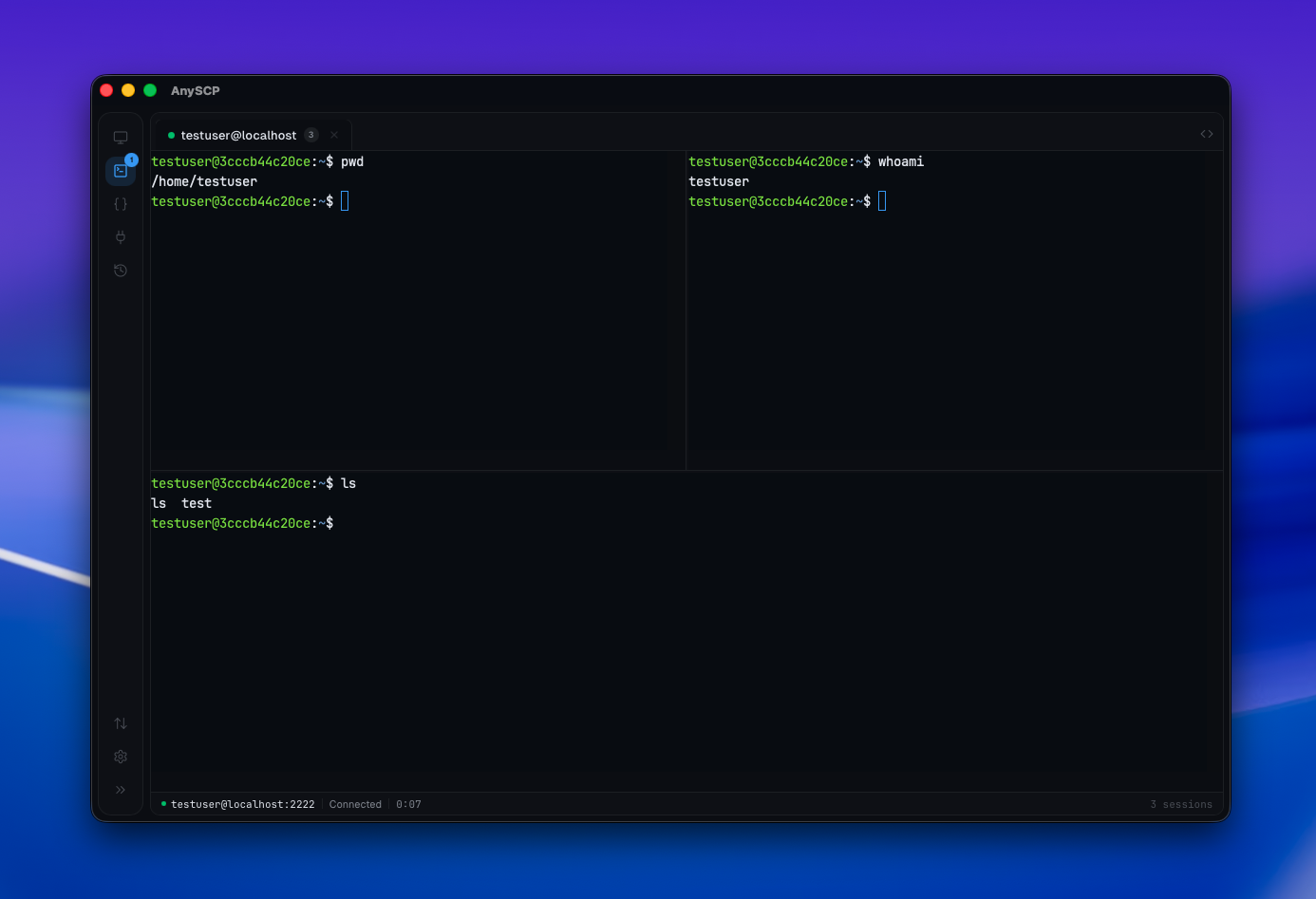
GPU-accelerated rendering, split panes, tabbed sessions, regex search, and full SSH config import.
[ Terminal ]
A terminal that gets out of your way.
- WebGL rendering with canvas fallback
- Horizontal and vertical split panes
- Multiple tabbed sessions with status indicators
- In-terminal regex search (Cmd+F)
- Import ~/.ssh/config in one click
- ED25519, RSA, ECDSA + PuTTY PPK auto-conversion
- Proxy jump / bastion host support
- Configurable cursor style, font size, and scrollback
- Keep-alive interval to prevent timeouts
- Startup command execution on connect
[ File Manager ]
Move files like they're local.
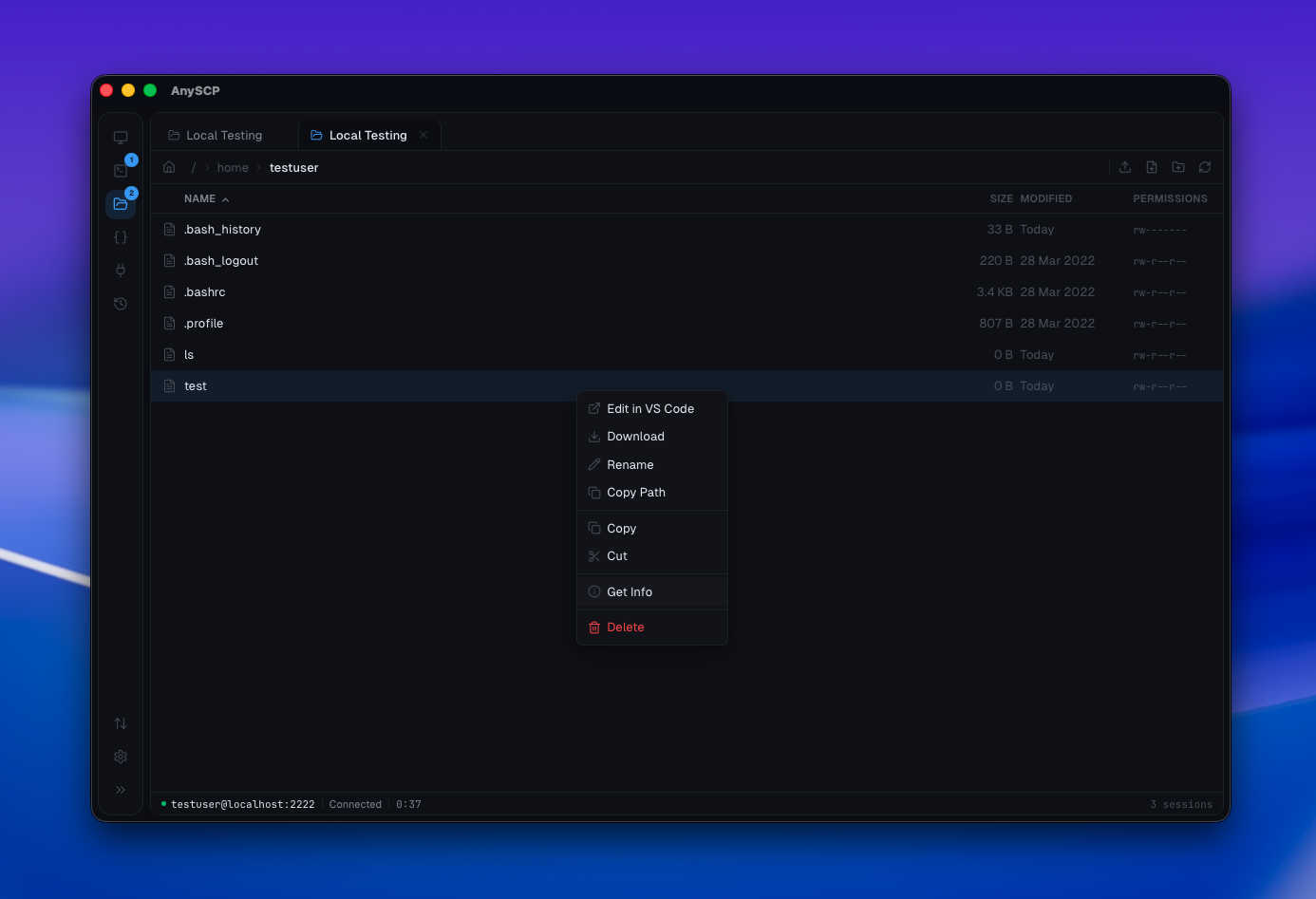
Drag-and-drop uploads, real-time progress, and remote file editing in VS Code over SFTP and S3.
[ File Manager ]
Move files like they're local.
- Drag folders from your desktop — they just upload
- Concurrent transfers with real-time speed and ETA
- Edit remote files in VS Code — auto-uploads on save
- Multi-select with Ctrl+Click and Shift+Click
- Cut, copy, paste between directories
- Breadcrumb navigation with clickable path segments
- Sort by name, size, or modification date
- Symlink detection and permission display
- Works identically over SFTP and S3
- Cancel or retry individual transfers
[ Port Forwarding ]
Tunnels without the flags.
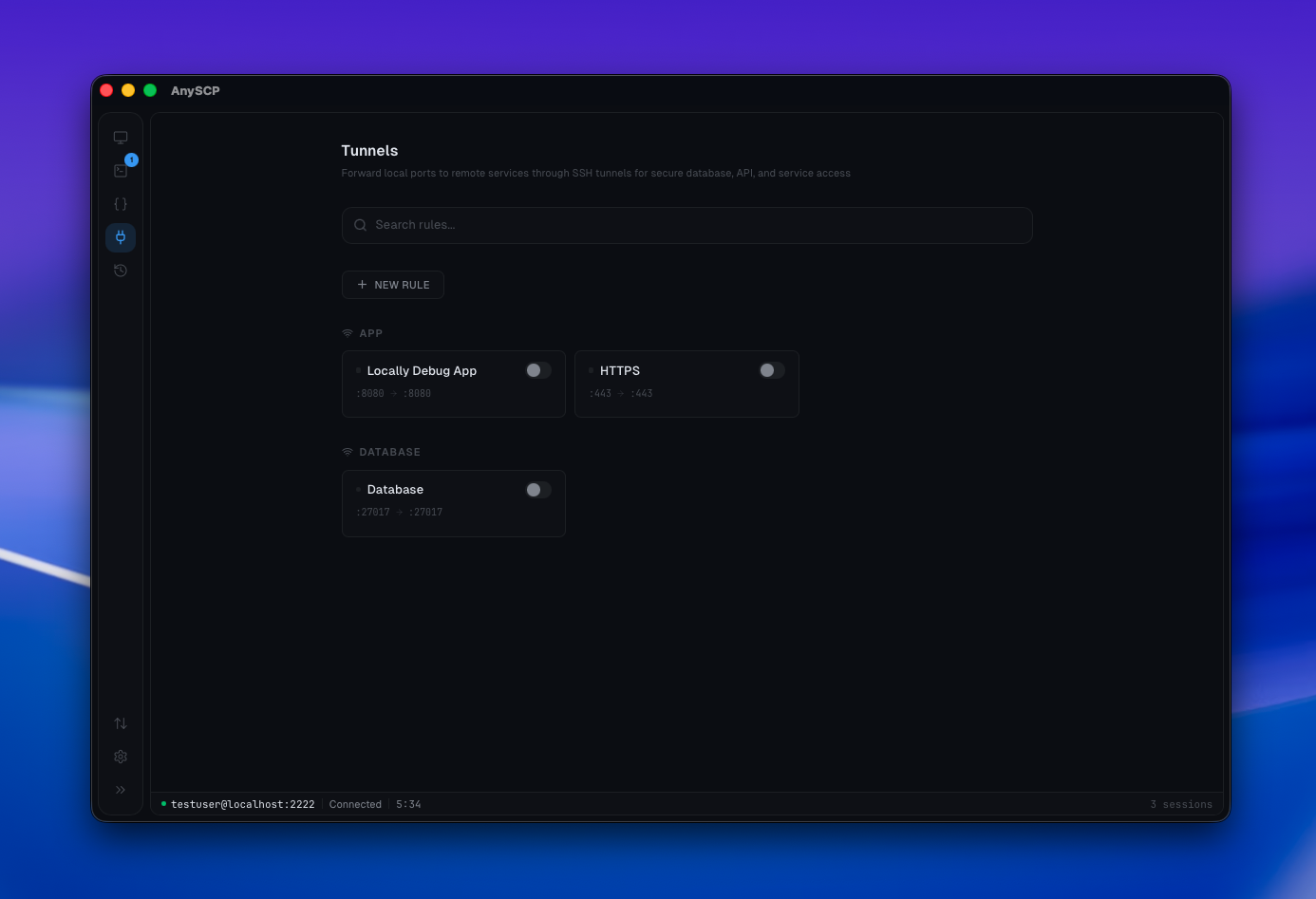
Visual tunnel manager with presets for Postgres, Redis, MongoDB, and Kubernetes. No more memorizing -L flags.
[ Port Forwarding ]
Tunnels without the flags.
- Local and remote port forwarding
- Presets for Postgres, MySQL, Redis, MongoDB, Kubernetes
- Auto-start tunnels on app launch
- Real-time status monitoring per tunnel
- Active connection counter and bytes transferred
- Start, stop, and monitor from the UI
- No terminal session needed — tunnels run independently
- Search and filter tunnels by label or host
[ Command Library ]
Save it once. Use it everywhere.
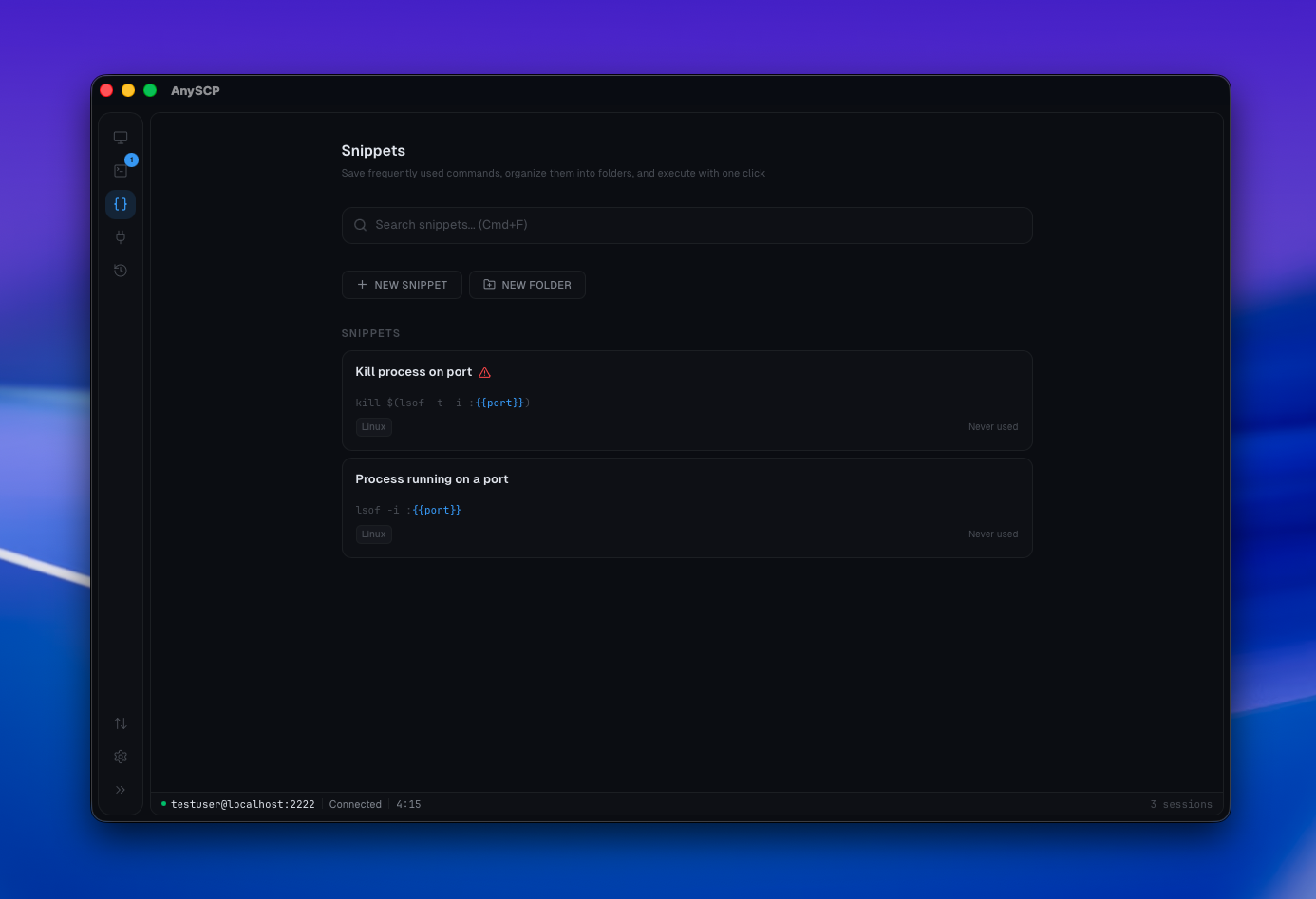
Parameterized snippet templates with variable prompts. Organize, search, and insert into any active session.
[ Command Library ]
Save it once. Use it everywhere.
- Parameterized templates: docker logs {{container}} --tail {{lines:100}}
- Variables with defaults, choices, and validation
- Nested folder organization with colors and icons
- Quick-insert panel from any terminal (Cmd+Shift+S)
- Full-text search across all snippets
- Dangerous command warnings before execution
- Use count and last used tracking
- Insert directly into the active terminal session
[ Security ]
Your credentials never leave your machine.
No cloud sync. No account. No servers to trust. Everything stays local, encrypted by your operating system.
OS Keychain
macOS Keychain, Windows Credential Manager, or Linux libsecret.
Rust Memory
Passwords and keys never cross the IPC boundary or touch the frontend.
SSH Key Support
ED25519, RSA, ECDSA with automatic PuTTY PPK conversion.
Open Source
Every line of code is public on GitHub. Read it, fork it, audit it yourself.
[ Who it's for ]
Built for developers, sysadmins, and power users.
No matter your role, anySCP fits into your workflow.
Web Developers
Edit remote files in VS Code with auto-upload on save. Drag-and-drop deploys and S3 bucket management — without leaving the app.
System Administrators
Color-coded host groups for prod, staging, and dev. Import your entire ~/.ssh/config in one click. Full connection history with audit log.
DevOps Engineers
Port forwarding presets for Postgres, Redis, and K8s. Save reusable command snippets with variables. Split panes to monitor multiple servers at once.
Students & Learners
No account, no subscription — just download and connect. Clean interface that works with any university server. Free and open source, forever.
[ One app instead of ]
All replaced by one download.
[ Cloud Providers ]
Connect to any S3-compatible storage.
One interface for all your cloud storage. Same drag-and-drop, same file browser — regardless of provider.
[ FAQ ]
Common questions
Everything you need to know about anySCP before you download.
What is anySCP?
anySCP is a free, open-source desktop app that combines an SSH terminal, SFTP file browser, S3-compatible cloud storage browser, port forwarding tunnel manager, and command snippet library into one application.
Is anySCP really free?
Yes. anySCP is completely free with no accounts, subscriptions, or usage limits. The source code is open on GitHub.
Which platforms does anySCP support?
anySCP runs on macOS (Apple Silicon and Intel), Windows (x64), and Linux (AppImage, .deb, and .rpm).
Which cloud storage providers are supported?
anySCP supports any S3-compatible storage including Amazon S3, Cloudflare R2, Backblaze B2, Wasabi, MinIO, DigitalOcean Spaces, and LocalStack.
Are my credentials safe?
Yes. Passwords and SSH keys are stored in your operating system's native keychain (macOS Keychain, Windows Credential Manager, or Linux libsecret). They never leave Rust memory and are never synced to any cloud service.
Can I import my existing SSH config?
Yes. anySCP can parse your ~/.ssh/config file and import all your hosts in one click, including identity files, proxy jumps, and keep-alive settings.
Does anySCP auto-update?
Yes. anySCP has built-in auto-updates powered by Tauri's updater. You'll always be on the latest version without manual downloads.
[ Download ]
Free. Open source. Cross-platform.
v0.1.0 · Auto-updates built in
Download for your platformAll platforms & versions →